
Cornell notes template
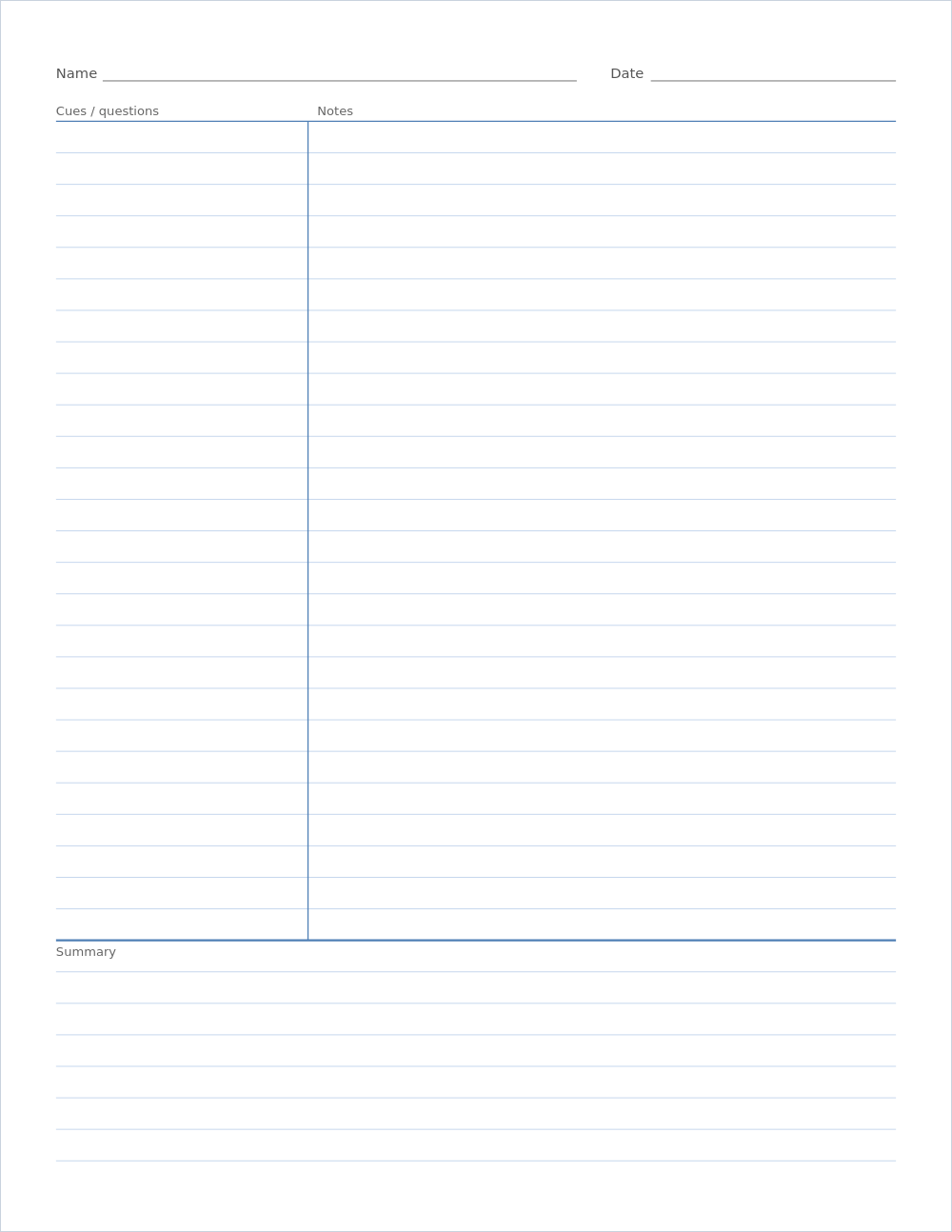
A Cornell notes page is divided into three parts: a narrow cue column on the left, a wide notes column on the right, and a summary box across the bottom. This template prints that layout on ruled lines, so you can start taking notes straight away.
Image for Word, Google Docs or note apps: ·
Print at 100% / Actual size so the squares measure exactly. Printing help
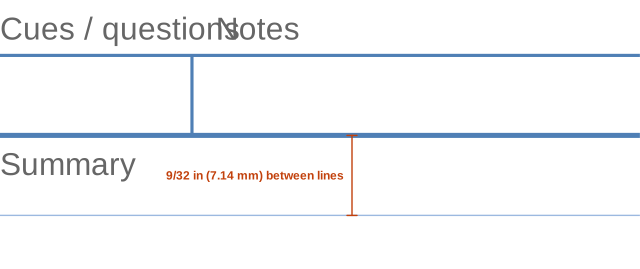
What it looks like up close
Ready-made PDF downloads
Default settings, ready to print.
Example: a finished Cornell notes page
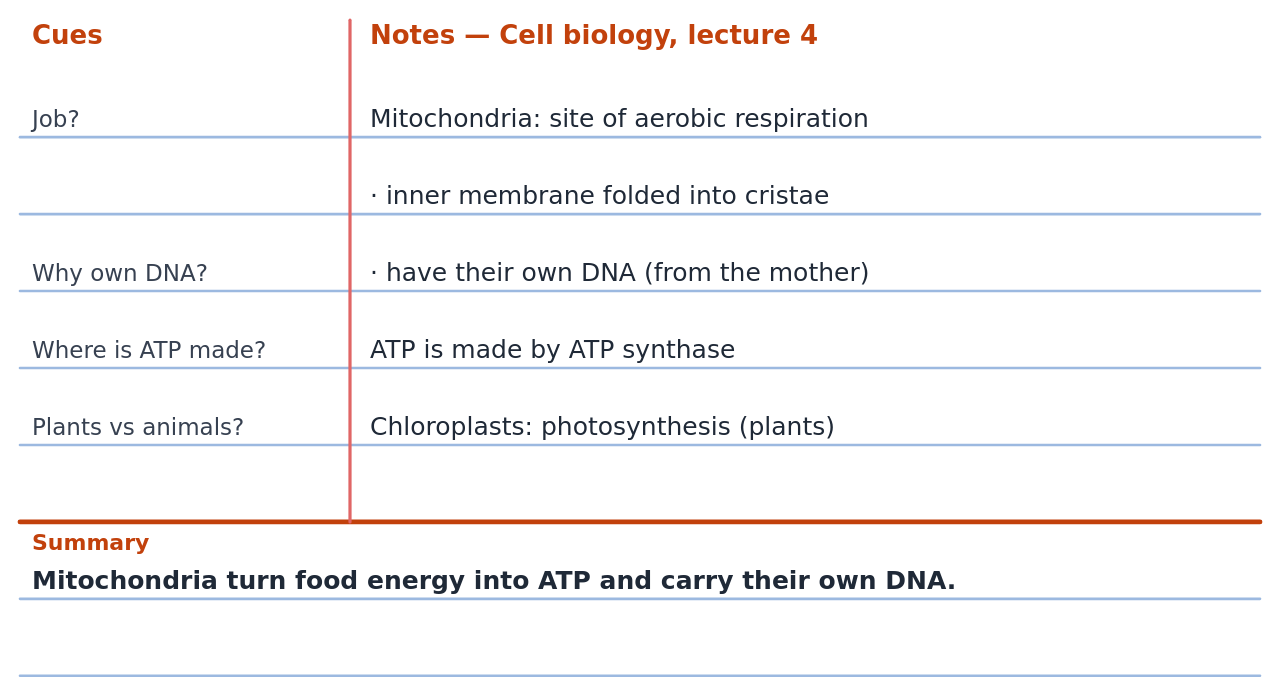
Each question in the cue column lines up with the block of notes it tests, so covering the right-hand side turns the page into a quiz. The summary forces you to decide what mattered—if you cannot write it in a sentence or two, that is the part of the lecture to revisit.
How the Cornell method works
The system was developed by Walter Pauk, an education professor at Cornell University, and described in his book How to Study in College. During the lecture or reading you write only in the notes column: main ideas, examples, diagrams, in short phrases rather than full sentences.
Soon afterwards—ideally the same day—you reduce the notes to questions and key words in the cue column, one beside each block of notes. Then you write two or three sentences in the summary box saying what the whole page was about. To revise, cover the notes column and answer the questions in the cue column out loud. That self-testing is where most of the benefit comes from.
Layout and sizes
The cue column takes 30% of the width—about 2¼ inches on a Letter page, close to the 2½ inches Pauk suggested—and the summary box about a fifth of the height, roughly 2 inches. The default ruling is college ruled (9/32 inch), which gives 26 lines in the notes column and 7 in the summary on Letter with the name and date line.
Younger students and anyone with large handwriting should switch to the wide ruled preset. On A4 the 7 mm preset matches European exercise books, and the reMarkable preset fills a tablet screen for digital Cornell notes.
Tips for better Cornell notes
Leave a blank line between topics in the notes column so cues can sit next to the right block. Write cues as questions (“Why did the treaty fail?”) rather than labels (“treaty”), because questions are what you will test yourself with. Keep the summary in your own words; copying the first line of the notes defeats the purpose.
Number pages and put the date and topic on every sheet—a stack of loose Cornell pages is easy to file but easy to mix up. For maths or science, sketch graphs on graph paper and refer to them from the notes.
How to print a Cornell notes template
- Keep college ruled, or pick wide ruled, 7 mm (A4) or reMarkable above the preview.
- Turn the name and date line on or off.
- Choose the page size and how many pages you need for the term.
- Download the PDF.
- Print at 100% / Actual size, single- or double-sided.
The five R's of Cornell note-taking
Pauk's method is often taught as five steps. Record the lecture in the notes column. Reduce it to cues afterwards. Recite by covering the notes and answering the cues aloud. Reflect on how the ideas connect to what you already know. Review for ten minutes each week, so the material is already familiar before the exam.
Recommended settings
Starting points for common uses. Pick the closest one, then adjust the size or color in the generator above.
| Use | Settings |
|---|---|
| High school and college | College ruled (9/32 inch), Letter |
| Middle school / large handwriting | Wide ruled (11/32 inch) |
| A4 / Europe | 7 mm lines, A4 |
| Digital notes on e-ink | reMarkable preset, gray lines |
Questions
What are the three sections of Cornell notes?
The cue column on the left for questions and key words, the notes column on the right for the lecture or reading, and the summary box at the bottom for a short summary of the page.
How wide is the cue column?
About 2¼–2½ inches on Letter paper, roughly a third of the page. This template uses 30% of the writing width on every page size.
Can I print it without lines?
Set the line color to white for a blank layout, or choose a large line spacing for a less busy page.
Can I use this template on a reMarkable or iPad?
Yes. Choose the reMarkable preset or your tablet under Page size for e-ink, or download the A4 or Letter PDF and import it into GoodNotes, Notability or a similar app.
Is the Cornell method good for maths?
Yes, with worked examples in the notes column and the type of problem or the key formula as the cue.
Save it for later
 Pin this Cornell notes paper to a board.
Save to Pinterest